New players now have the opportunity to try the game demo — a lighter version of the app that allows you to start playing faster, without waiting for all the files to download.
This format helps you dive right into the gameplay: you can complete the tutorial, play your first matches, and get familiar with the core mechanics while the rest of the content downloads in the background.
In this article, we’ll explain how the demo version works, what features it includes, and how to access the full game content.
What is the demo version and how does it work?
The demo version is a special, smaller version of the game. It includes only the basic content needed to get acquainted with the gameplay. Thanks to this, the app installs faster, and you can start playing almost immediately after downloading.
After the first launch, the remaining game files may continue downloading in the background. This process is automatic and does not interrupt your progress.
How it works:
When connected to Wi-Fi, the full version may start downloading automatically.
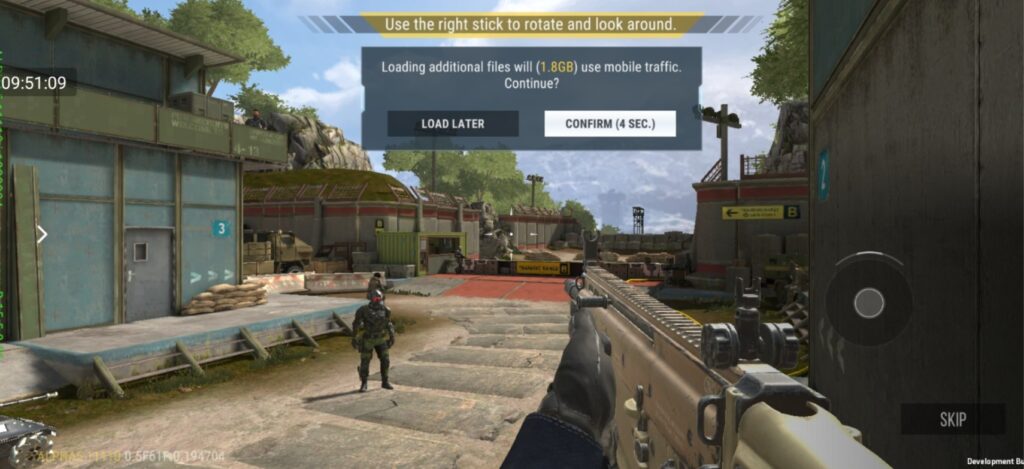
If using mobile data, the game will ask for permission before downloading additional files.
You can continue completing the tutorial and playing without interruptions while the content downloads.
What is available in the demo version?
The demo allows you to explore the main features of the game and complete the first stages of gameplay.
Included in the demo:
Tutorial
First matches
Basic weapons
Starter characters and equipment
Account progression up to level 7
What are the limitations of the demo version?
Since the demo includes only part of the content, some features are only available after downloading the full version.
Temporarily unavailable:
Clans
Friends
Squad play
Global chat
Leaderboards
Referral program
Some seasonal events
Lotteries
Black Market
Additionally, there is a progress limit: you can play in the demo only up to level 7.
When you reach this level:
Experience will no longer accumulate to the next level.
The “Battle” button will become unavailable.
The game will prompt you to download the full version to continue progressing.
Your progress is saved — once the full version is installed, you can continue playing from the same point.
How to access the full version
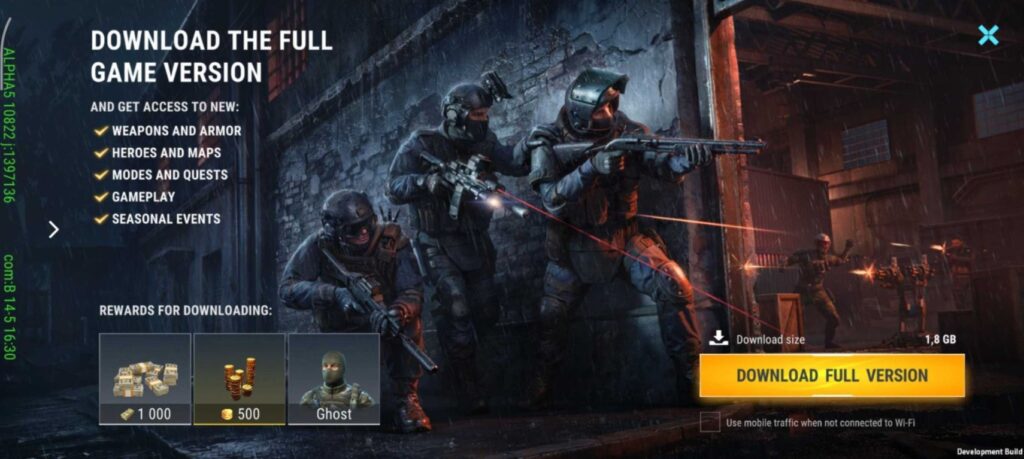
You can upgrade to the full version at any time directly from the game. There is no need to reinstall the app — simply download the remaining content.
You can do this in several ways:
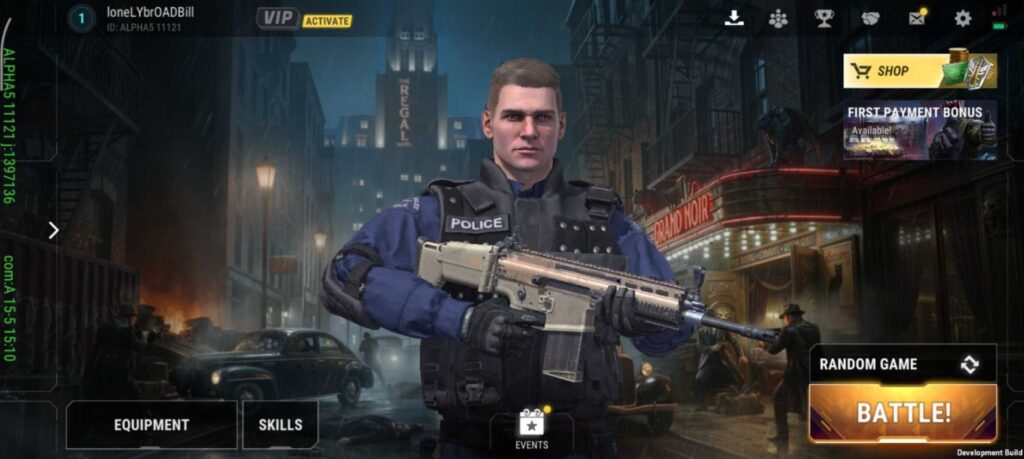
Tap the download button in the lobby
Tap the “Battle” button after reaching level 7
Open sections unavailable in the demo — the game will prompt you to download the additional content
After downloading, you’ll have full access to all modes, maps, items, events, and additional features.
Is there a reward for downloading the full version?
Yes. After downloading the full version, new players receive a bonus to help continue their journey and enjoy the game even more.
Frequently Asked Questions
Do I need to download the full version immediately?
No. You can start playing the demo right after installing the app and use it until reaching level seven.
Will my progress be saved?
Yes. All achievements, experience, and unlocked items are saved and automatically transferred to the full version.
What if there isn’t enough space on my device?
If storage is insufficient, the game will notify you during the download. Free up some space and try again.
What if the download is interrupted?
Check your internet connection and available storage. Then open the download window in the game and continue the installation.
We hope the demo version helps new players get started faster and enjoy the game. If you run into any issues, don’t hesitate to contact support at modernstrike@azurgames.com. Thank you for choosing our game!
мы используем cookies
Продолжая пользоваться данным сайтом, вы соглашаетесь на использование cookies и обработку данных в соответствии с Политикой конфиденциальности в области обработки и защиты персональных данных.